
Elecdes

Electrical CAD and Wiring Diagram Software
Elecdes is the 2D electrical CAD design module of EDS, used for the production of intelligent circuit diagrams including; electrical schematic diagrams, wiring diagrams, 1 line diagrams, cable block diagrams and loop diagrams. Elecdes has a rich set of CAD drawing and database tools to automate and speed the production of electrical circuit diagrams, and comes with standard symbol and manufacturers parts libraries.
For Electrical Schematic and Wiring Diagram Designers
Elecdes electrical CAD software is for users creating multi-sheet electrical CAD circuit diagrams for construction, switchgear, process, vehicle, control, manufacturing, power generation, and transmission and distribution (T&D) industries.
Compatible with AutoCAD, BricsCAD, GstarCAD, and LusoCAD.
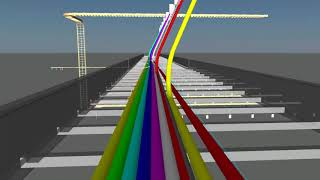
Introduction

Download brochure or videos
Request web demonstration, trial software, or sample projects
Features
Electrical CAD Diagram Production
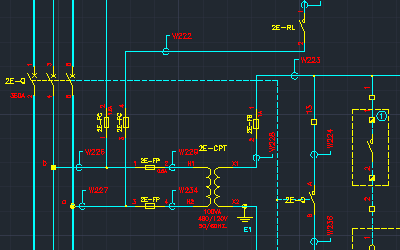
- Over 10000 electrical CAD symbol library blocks.
- IEC/ISA/ANSI/IEEE/JIC/JIS/AS electrical CAD libraries.
- Automated Terminal strip generator.
- Automated wiring diagram generator.
- Integrated construction of 2D electrical panel layouts.
- Project wide cross reference back annotation.
- Automated on-drawing BOM and cable list tables.
- Elecdes intelligent array insertion.
- Move circuit for intelligent symbol move, retaining connections.
- Soft Snaps, line breaks and line repairs are included in the Elecdes intelligent insert, move, drag, copy, delete and line repair editing functions.
- 2 line and 3 phase drawing macros, ladder diagram construction macros.
- Brownfield Terminals for linking to old / raster diagrams.
- PLC module builder with a library of thousands of current I/O cards from several manufacturers. Use is simple and friendly while graphical flexibility is high with many user preference options.
- "Contact Swapper" function to replace any subcomponent of a relay for another subcomponent (e.g. swap contacts) OR swap a normally closed switch for a normally open switch - with a single click.
- "Subcomponent inserter" which allows rapid selection and insertion of contacts (or other device sub components) of any chosen relay or device. For large, smart, protection and distribution relays this decreases deployment time by 60%-90%.
- Insert a component directly from the catalog database, the symbol being intelligently selected from your chosen standards. This eliminates symbol selection when working with part numbers directly.
- Automated "incremental" tag name defaulting - with user programmable tagnames! IEC and ANSI naming conventions are provided as standard.
- Automated wire numbering, rung numbering and "connect dot" placement.
- "Equipotential Wire Naming". A wire can now be continued through terminal strips without changing the wire name.
- Simple table based icon menus with intelligent menu editor for user modification.
- Polarised terminal sides are now possible.
- A "SMART WIRING DIAGRAM FOOTPRINT" can be used to create "lifelike" terminal plans and device footprints, where required, when the wiring diagram generator is creating a wiring diagram.
CAD Software Integration
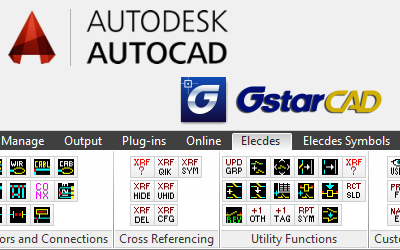
- Integration with AutoCAD 2019 – 2026.
- Integration with BricsCAD Pro v22 – v25.
- Integration with GstarCAD/LusoCAD Professional 2022 – 2025.
- Adds electrical CAD toolbars, menus, and commands to your CAD software user interface.
- Adds electrical CAD ribbon tabs to the AutoCAD user interface.
- GstarCAD Professional can be bundled with EDS for users without a current CAD software package.
- System Requirements
Database Functionality
- Over 200 000 manufacturers parts in Elecdes supplied catalogs. "Pick" the part you want during circuit construction. Includes Alstom, ABB, Siemens, SquareD, Telemecanique and others.
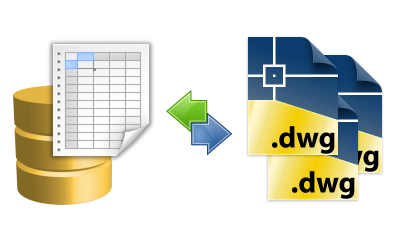
- Contains integrated database "Ebase" for: Project Management and Revision tracking, Automated project drawing index list, Automated wire interconnection lists, Automated cable lists, Automated conductor/core interconnection lists, Automated bill of materials and quantity summary, Automated wire label / ferrule lists and 2 WAY DATABASE LINKS.
- On line relay contact/coil cross referencing. On line tag name duplication cross referencing. Component navigation tools for easily finding and viewing components spread over many sheets.
- Automated conductor continuation cross referencing.
- Automated database PROJECT-WIDE GLOBAL EDITOR for mass editing of tag, wire, terminal and specification data in your electrical CAD diagrams. Optionally use your favorite database or spreadsheet in conjunction with the Global Editor.
- Cable scheduling application. Design and manage your cabling from a database!
In-depth Support
- Over 800 extensive and detailed software help topics, including step-by-step instructions.
- Tutorial videos.
- Technical support available by phone and email.
- Training courses available.